- About us
- Work
- Our process
- Blog
- Career
- QR Code Generator
- Password Generator
- JSON Formatter & Validator
- UUID/GUID Generator
- Base64 Encoder/Decoder
- Hash Generator
- JWT Decoder
- Unix Timestamp Converter
- URL Encoder/Decoder
- IP Address Lookup
- Color Picker & Converter
- Markdown Editor & Preview
- HTML Encoder/Decoder
- Text Diff Checker
- Invoice Generator
- Lorem Ipsum Generator
- Image Compressor
- Image Resizer
- Fake Data Generator
Menu
O-e-Health
COMPANY
O-e-Health / TeethWallet
CATEGORY
Medical & Dental Health Platform / Digital Health Records
TIMELINES
Four Months (Design, Development & Integration)
SERVICE WE PROVIDED
KEYWORDS
Share this Case Study:


About the Project
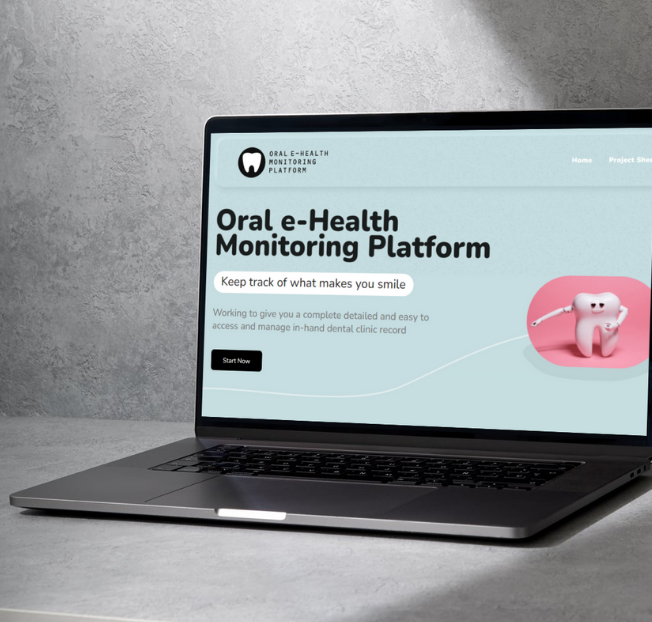
O-e-Health — branded as TeethWallet — is a digital healthcare platform designed to enhance oral health management by centralizing medical and dental records in one secure place. The system streamlines clinical workflows for dentists and provides patients with easy access to their treatment history, prescriptions, reports, and ongoing care plans. By digitizing oral healthcare data, TeethWallet improves transparency, continuity of care, and overall patient experience.
Requirements
The project required a comprehensive digital solution capable of managing patient profiles, dental and medical histories, treatment documentation, prescriptions, imagery, and appointment management. The platform needed to support both clinics and individual practitioners while ensuring data privacy, easy accessibility, and seamless synchronization across devices. A clean user interface, multi-role access control, and secure storage for clinical files were essential.
Solutions
The solution was a fully integrated oral health records platform that allows dentists to create, update, and manage digital case files efficiently. Patients can log in to view their treatment records, upload documents, and share data with healthcare providers when needed. The system includes appointment scheduling, clinical note-taking, treatment planning tools, and digital storage for X-rays and dental imagery. Robust security measures ensure that sensitive medical data remains protected while offering convenience and accessibility.
Design System
The design system follows a clean, medical-grade aesthetic with structured layouts, clear labeling, and intuitive navigation. Components were built for dashboards, patient profiles, treatment logs, appointment calendars, and document viewers. The UI prioritizes readability and quick access to critical patient information, making it efficient for practitioners during consultations.
Color Palette
The platform adopts soft medical blues for trust and professionalism, complemented by white and light gray backgrounds for a clean, clinical feel. Accent colors highlight active states, alerts, and important medical details without overwhelming the interface.
Have a great idea?
Have a great
idea?

We’ll assign a dedicated manager for you.
Inquiries
info@devxhub.com
Not Interested in submitting the form? Book A Call Directly

Company
- Services
- About us
- Our process
- Career
- Blog
- Schedule a Meeting
- Products
- Tools
See Company Profile

HIRE SPECIALIZED TALENT
Frontend Developer
Backend Developer
App Developer
MERN STACK Developer
Java Developer
.NET Core Developer
Software Architect
AI/ML Engineer
DevOps/Cloud Engineer


© 2026, Devxhub Limited, All Rights Reserved.